


CustomCart
A simple, yet advanced shopping cart built for you and your customers in mind.
Changelog: v1.4.1 - September 6, 2026
CustomCart Changelog
Version 1.4.1
September 6, 2026- Fix Fixed the dashboard reporting "Unable to check for updates (HTTP )". The version check read a response property that was removed in the HTTP library Joomla 6 ships, so the status never arrived. It now works on both Joomla 5.4 and Joomla 6.
- Fix A failed update check now names the actual HTTP status and records the reason in the Joomla log instead of failing silently.
- Fix Fixed the in-app changelog running all entries in a category together on one line; each entry is now listed separately.
- Fix The in-app changelog now shows every category Joomla defines. Changes, security notes, language updates and notes were previously hidden.
- Fix Fixed the cart tracking cookie losing its path, domain, secure and HTTP-only flags on Joomla 6, where Joomla removed support for the older way of setting cookies.
- Fix Removed an unused PDF export routine that referred to a library Joomla no longer ships.
Version 1.4.0
September 5, 2026- Addition Refund sync with Stripe: refunds you issue in the Stripe Dashboard now flow back into the order automatically — the refunded amount, payment status, order status and order history all update on their own. A refund that fails or is reversed at Stripe puts the order back to Paid.
- Addition Chargeback alerts: if a customer disputes a payment, the order shows a red "Disputed" tag in every staff order list (never on customer pages) and a Dispute card with the disputed amount, reason, status, evidence deadline with a day countdown, and a button that opens the dispute in Stripe. You are emailed when a dispute opens and again when it is won or lost.
- Addition Evidence Pack: a printable, self-contained record of the order for submitting to Stripe — dispute details, customer and addresses, items with options and uploaded files, amounts and payments, fulfillment, carrier, tracking and delivery status, checkout agreement, the captured digital signature and the full order history.
- Addition New "Send Dispute Alerts (Admins)" setting on the Emails tab, on by default.
- Addition Seven new Stripe webhook events to add for refund and dispute tracking. The list is shown in Settings, the Setup wizard and WEBHOOK_SETUP.md. Nothing changes until you add them in Stripe.
- Addition The digital signature pad now works on the full-page cart, so customers can complete checkout from that page.
- Addition All 52 new text strings are translated into the 14 bundled languages.
- Change Prices are now set by the server. Item prices, option prices, quantity tiers and quantity limits are verified and recalculated on the server at checkout, so a shopper can no longer change a price in their browser or pass off an expensive option as a cheap one.
- Change The front-end Admin Orders page now requires Manager, Administrator or Super User when no user group is set on the menu item. Previously any logged-in user could view every order.
- Change Running more than one store on the same Stripe account now works automatically — each store stamps its own checkouts, so orders can no longer cross over between sites.
- Change Admin refunds and Stripe refunds now follow the same rules: same statuses, same history entries, and open payment links are voided on a full refund.
- Change Backups no longer contain your Stripe, Turnstile, Carto, Google Sheets or download ID secrets, and admin logs moved out of publicly reachable folders.
- Change Updated to Stripe API version 2026-08-26.dahlia, with support for delayed payment methods and large orders.
- Change EasyPost updated: current package list, stricter address verification, automatic retry when rate requests are throttled, and clearer error messages.
- Change Google and Mailchimp connections hardened, including a reconnect notice if Google revokes access and more accurate marketing opt-in.
- Change Now requires Joomla 5.4 or newer, and is compatible with Joomla 6 and PHP 8.5.
- Change Wording and consistency pass across every setting, email and document. "Local Dropoff" settings are now labelled "Local Delivery" to match what customers see.
- Change Database update 2.9.8 adds refund and dispute tracking, and repairs itself automatically on sites where the update did not run.
- Fix The digital signature is no longer lost when the cart changes, and an old leftover signature no longer blocks checkout.
- Fix In responsive display mode, the mobile cart now shows pickup and delivery details and has a working signature pad. Choices made in one view carry over to the other.
- Fix The full-page cart's pickup and delivery date/time picker and location list now work the same as the modal cart.
- Fix Tips are no longer counted in the order subtotal, so subtotal plus shipping, tax and tip minus discount equals the total again.
- Fix Restoring a backup no longer wipes your orders. Restore is now all-or-nothing and includes payment history and shipping label history.
- Fix Opening a shared order link no longer empties the visitor's shopping cart.
- Fix Confirmation emails sent from the front-end admin page now include items, statuses, store details and the real shipping status.
- Fix Shipping labels created and orders deleted from the front-end admin page now behave the same as in the backend, including label history and voiding open payment links.
- Fix The "send customer email" and "send admin email" switches are now honored for payment received emails.
- Fix Shipping notification emails no longer show blank item names and zero prices.
- Fix The customer order page no longer shows the raw {customcart_full_customer_layout} text when shortcodes are turned off in Settings.
- Fix Front-end account and full-page cart pages now show your configured currency instead of always showing a dollar sign.
- Fix Opening a deleted or missing order in the admin now shows "Order not found" instead of an error page.
- Fix Saving or resetting email templates no longer fails with an error.
- Fix Marketing consent from Stripe is recorded correctly, so customers are no longer all marked as opted in, and accepting terms is no longer treated as a newsletter signup.
- Fix Stores connected to Google Sheets no longer receive every order twice.
- Fix Several Stripe checkout errors fixed, including a tax rate conflict, the cancel return with "empty cart on cancel", and the order data used by search engines.
- Fix Product element: hidden fields are no longer added to the cart, pricing tiers only apply when the tier switch is on, and minimum quantity is enforced at checkout instead of only on the page.
- Fix Uninstalling now removes every CustomCart table, and upgrades no longer fail on MySQL 8.
- Fix Fresh installs now include the Carto prompt file and the default customer email template.
- Fix Customer-supplied text is escaped everywhere it is displayed, and CSV and Excel exports are protected against spreadsheet formula injection.
Version 1.3.0
September 4, 2026- Addition Request Payment: add items or change shipping, tax or discount on an order that has already been paid, then email the customer a secure Stripe link for only the outstanding balance. The payment attaches to the same order and the order returns to Paid automatically.
- Addition Payment ledger: every payment on an order is now recorded — the original checkout, invoices, balance requests and manual "marked as paid" entries — with the amount, date and status. Existing paid orders are filled in automatically on update.
- Addition New "Partially Paid" payment status (amber). A paid order whose total grows after an edit shows Paid and Balance Due lines, and flips back if you undo the change.
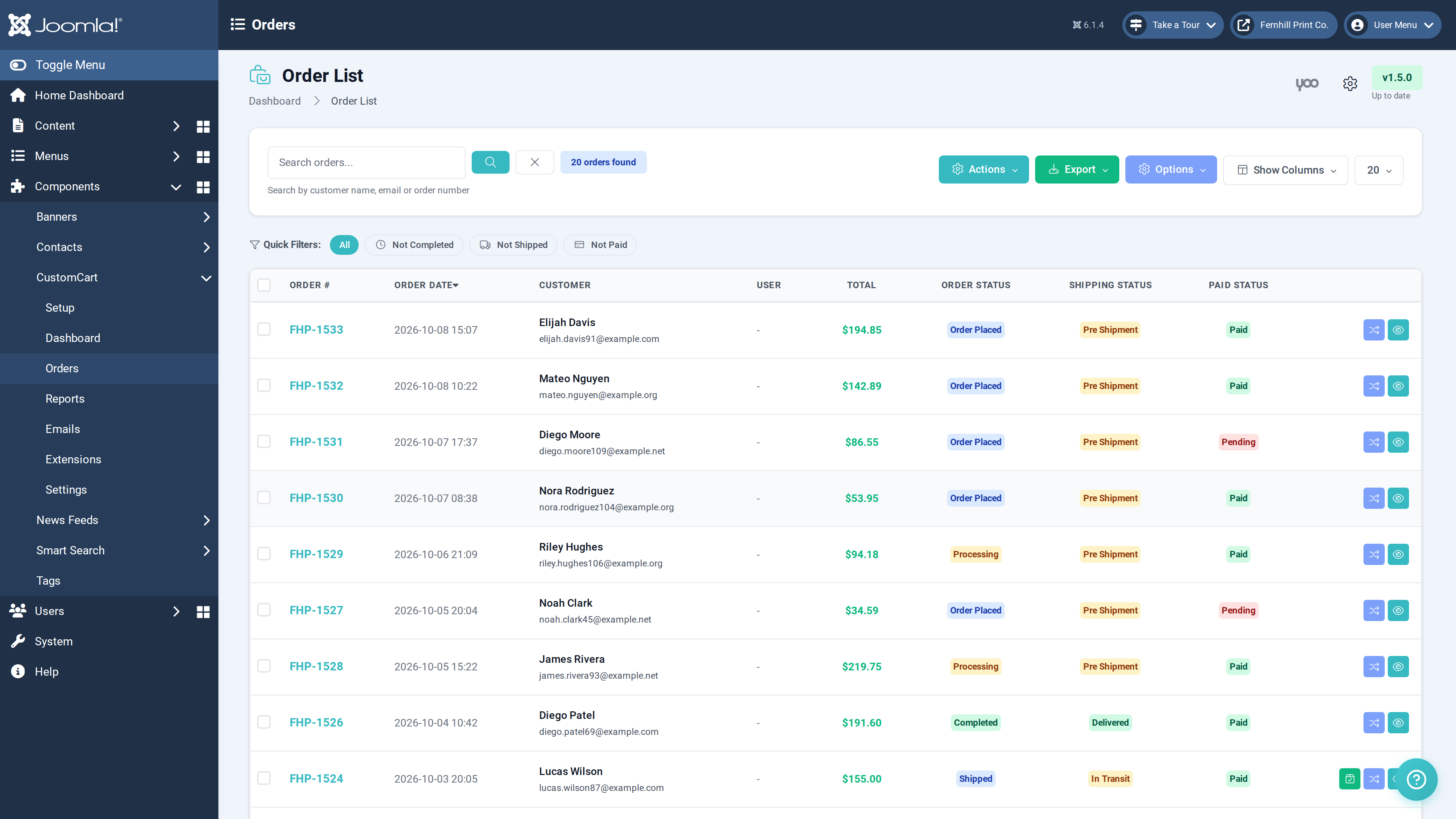
- Addition Order lists and the dashboard show a "Balance Due $X" tag under the total while money is owed.
- Addition The customer order page shows Paid and Balance Due, a "Pay Balance" button while a request is open, and a payment history once more than one payment has been made.
- Addition Payment Received emails: a customer receipt with a View Order button, plus a store notice, sent for balance payments instead of a duplicate order confirmation.
- Addition Open payment links are voided automatically when an order is marked paid by hand, fully refunded, or edited so the balance changes, so a customer can never pay an outdated amount.
- Addition Random order numbers: new Order Number Format setting (Sequential or Random) with a code length of 5 to 12 characters. Random numbers look like UVM-7K3Q9D, skip look-alike characters, and are checked against existing orders. Existing orders keep their numbers and switching back to Sequential is safe.
- Addition My Packages: define your own mailers and boxes with a name, dimensions and optional empty weight. They appear at the top of the label wizard with the dimensions already filled in.
- Addition Hide carrier packages you never use, and set a Default Package that is pre-selected whenever the label wizard opens.
- Addition Weight helper in both label wizards: the weight field accepts decimals, is pre-filled from your default weight, and shows a live reference in pounds, ounces and kilograms. A preset's empty package weight is added for you, and the order's items are listed on the weight step.
- Addition All 45 new text strings are translated in every bundled language.
- Change Order lists everywhere now show the amount after refunds — backend orders, front-end admin orders and cards, dashboard, admin module and the customer's account views — with the original total struck through and a red Refunded or Partially Refunded tag. Orders without refunds look exactly as before.
- Change Both label wizards now share one package list, and the front-end wizard uses the same grouped dropdown as the backend instead of fixed Letter, Flat and Parcel buttons.
- Change Removed the artificial delay when opening the shipping label wizard.
- Change Refunds are now allowed on partially paid orders, and "Full refund" means everything the customer paid across all payments.
- Fix Fixed checkout failing with a "URL must be 2048 characters or less" error on products that use a generated preview image. Previews are now saved to your site and the customer still sees them at checkout and on the order.
- Fix A used invoice or balance payment link is cleared from the order once the payment completes, so it is no longer offered on the order pages.
- Fix A repeated Stripe notification can no longer create a duplicate order, revive a refunded order, or reset a partially refunded order's payment status.
- Fix Orders created manually and later paid through an invoice link now store the real Stripe payment ID, which is needed for refunds.
- Fix Discount errors while creating an invoice link are now reported instead of silently sending a link without the discount.
- Fix Fixed the Total column styling on the front-end admin orders list.
Version 1.2.0
August 20, 2026- Addition Send Invoice: Create draft or manual orders and email the customer a secure Stripe payment link, with a custom message, invoice history tracking, and the ability to resend with a fresh link.
- Addition Pay Now button on the customer order page for unpaid invoiced orders.
- Addition Payment link management: Disable a previously sent payment link so it can no longer be used.
- Addition Invoices now support discounts, and manual orders can auto-calculate tax with a configurable rate and taxable states list.
- Addition Multiple shipping labels per order: Create, download, track, and delete separate labels for split shipments, reprints, or reships.
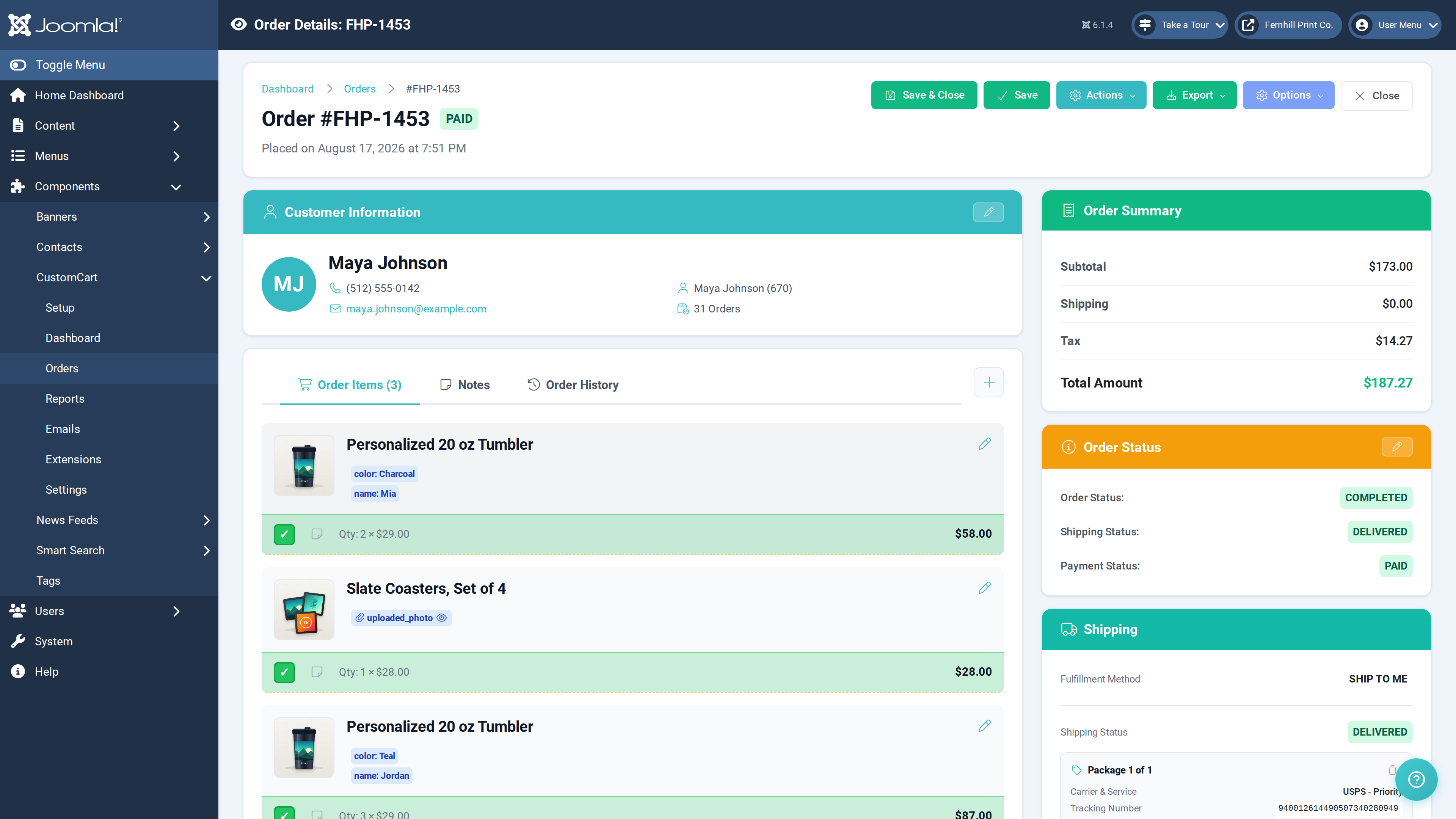
- Addition Print status tracking: A checkbox on each order line item cycles through printing in process (yellow), completed (green), and issue (red) — saved per item, with an option to disable the feature in settings.
- Addition Private admin notes on each order line item with autosave — visible only to admins, never to customers.
- Addition Partial refunds: Issue full or partial Stripe refunds from a new refund modal (permission-controlled), tracked in the order notes, order history, and payment status.
- Addition Refund amounts and net payment now display in the Order Summary.
- Addition File uploads on order item options: Attach art files (images, ZIP, PDF, AI, and more) to any line item option, with inline image previews.
- Addition Image picker on Create Order and order item rows for quickly assigning product images.
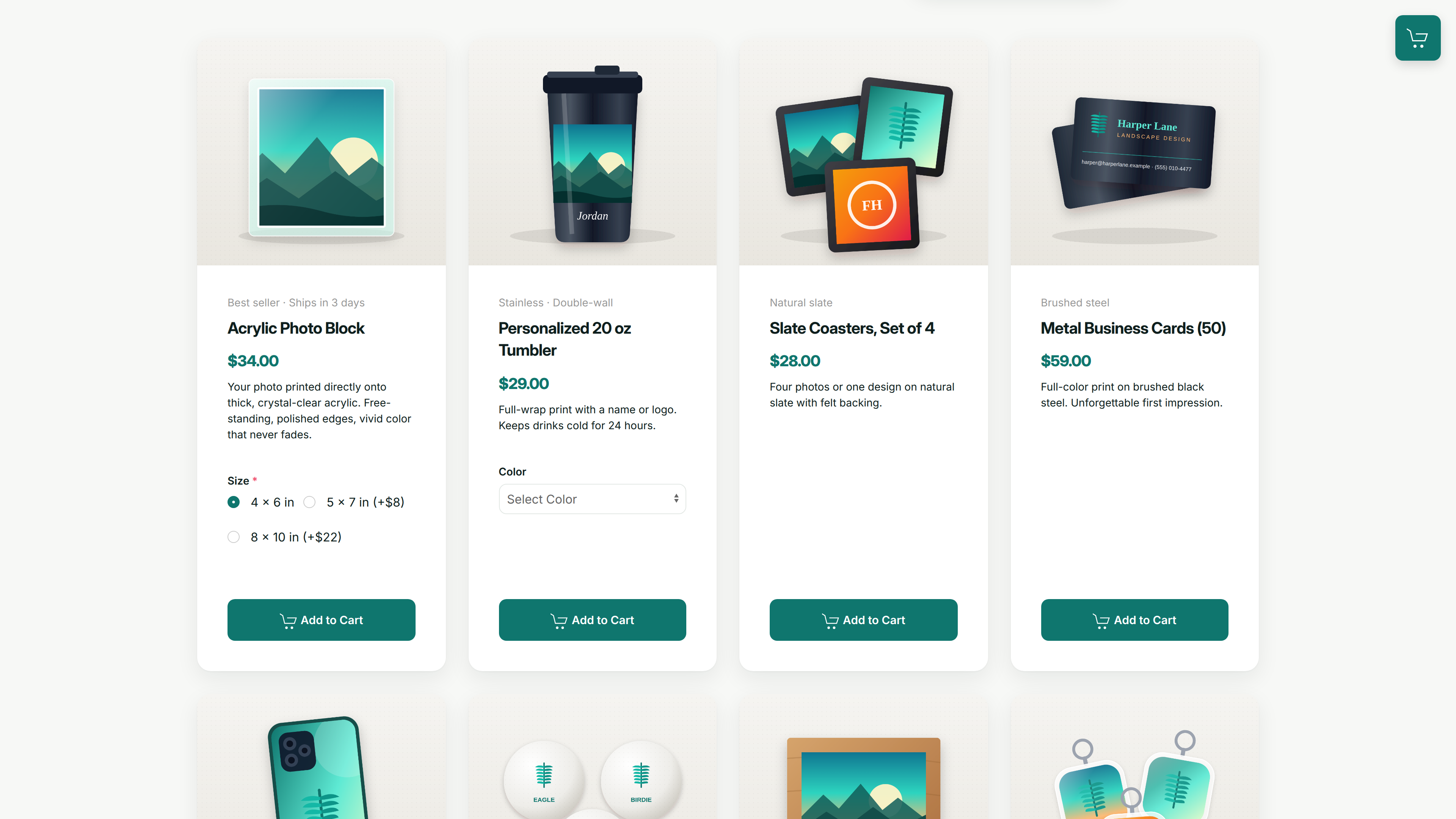
- Addition Unavailable state for product field options, including crossed-out color swatches and an optional tooltip.
- Addition Quick filter toggles on the orders list (All, Not Paid, Not Shipped, Not Completed).
- Addition Login Takeover setting (disabled by default): CustomCart only replaces Joomla's login pages when explicitly enabled. CustomCart login menu items always work when visited directly.
- Addition The CustomCart login page now uses your Brand Colors settings and displays the user's Gravatar when available.
- Addition The Webhook Configuration panel in Options now shows your site's actual webhook URL with a copy button, the full list of Stripe events to listen for, and the recommended API version.
- Change Upgraded the Stripe API to version 2026-07-29.dahlia across all payment, refund, and checkout calls.
- Change Print status and private item notes are also available in the front-end admin orders view.
- Change Joomla multi-factor authentication pages keep their native design unless Login Takeover is enabled.
- Change Added CSRF protection to the login, logout, and password reset forms, and excluded login/logout pages from page caches (JCH Optimize and LiteSpeed safe).
- Change Translated all new features and previously untranslated strings across all 16 supported languages, including the permission names shown in the Permissions tab.
- Fix Fixed checkout failing on large orders with many different products (Stripe metadata limit) — big carts now check out normally with all product options preserved.
- Fix Fixed duplicate order numbers that could occur after upgrading the plugin.
- Fix Fixed a fatal error after a customer paid an invoice, and the "Order Not Found" page shown after successful invoice payments.
- Fix Invoice payments are now confirmed directly with Stripe when the customer returns to the site, so orders are marked paid even if the webhook is delayed.
- Fix Fixed a Stripe error that delayed webhook processing on invoice payments with discounts.
- Fix Fixed the Joomla login module and two-factor authentication being broken by the login redirect — login form submissions and logout links are never intercepted.
- Fix Fixed logout links redirecting to a redundant page, and guarded against logout redirect loops.
- Fix Customer-uploaded images on order options now preview inline instead of downloading when clicked.
- Fix Fixed the refund window not opening on paid orders.
- Fix Fixed invisible text in the Send Invoice From field in dark mode.
- Fix Fixed a shipping label error on the customer order page.
Version 1.1.2
January 30, 2026- Fix Resolved an issue where order items would show "no items" in emails, order status pages, and admin views, even though the items appeared correctly in Stripe
- Fix Improved the reliability of fetching order details from Stripe during checkout completion
- Fix Images added in YOOtheme Pro builder now display correctly in the shopping cart
- Fix Order confirmation emails now correctly display product images when using relative paths
Version 1.1.1
January 8, 2026- Addition Edit Order Summary: Admins can now manually edit shipping, tax, and discount amounts on orders
- Addition Edit Order Summary: Available in both backend admin and frontend admin orders views
- Addition Edit Order Summary: Enable via CustomCart Options → "Allow Order Summary Editing"
- Addition Edit Order Summary: All changes logged to order history
- Fix Order total calculation now correctly includes tip and discount amounts
- Fix Order items not being saved to database after Stripe checkout
- Fix Customer and admin email notifications not including order details
- Fix Added fallback mechanism for retrieving line items from Stripe API
- Fix Stripe API version to 2025-12-15.clover (latest)
Version 1.1.0
January 2, 2026- Addition Admin dashboard changelog viewer
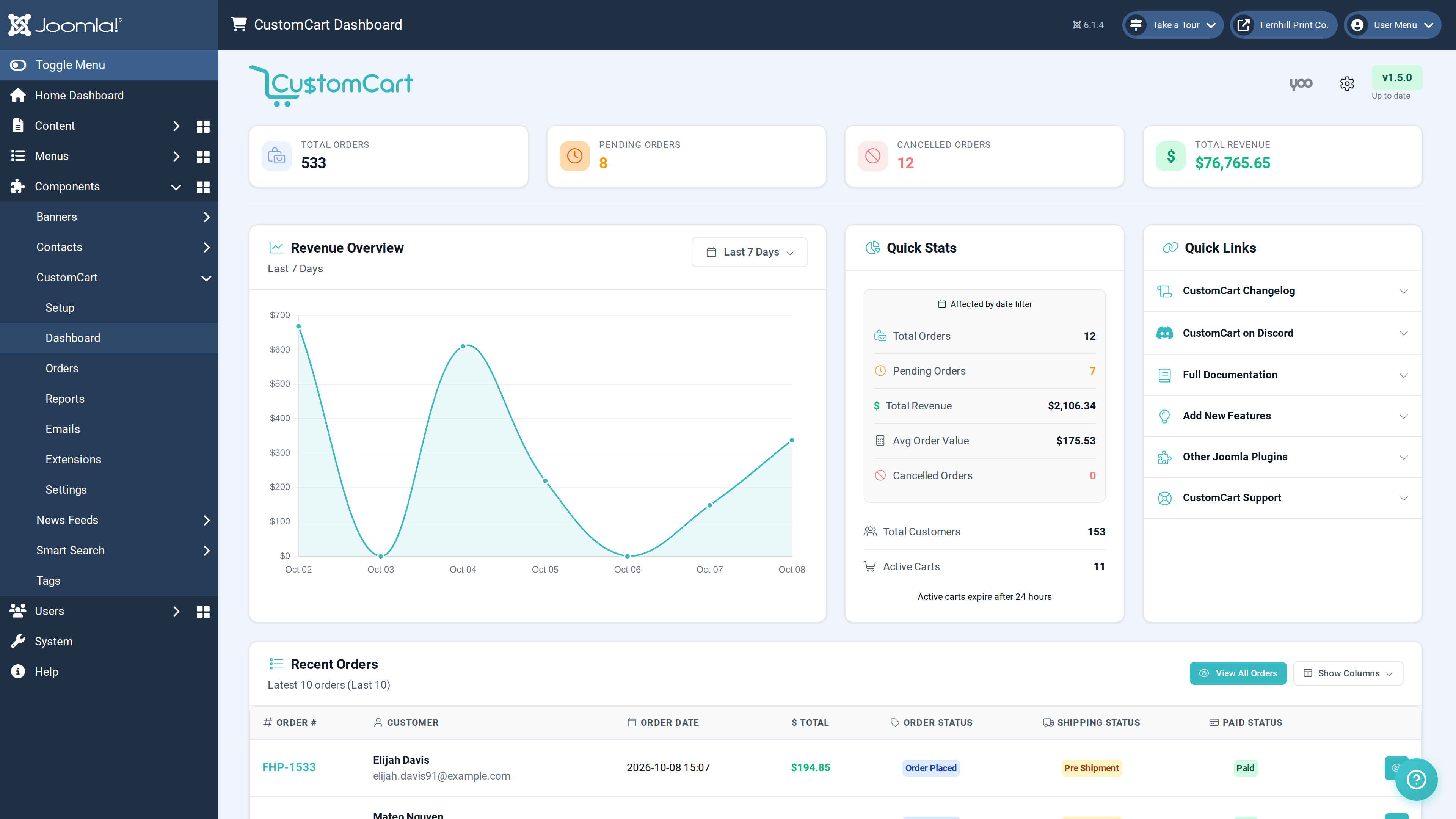
- Addition Quick Stats section with date filtering
- Addition Lifetime order and customer counters
- Addition Login, Profile, and Register menu items
- Addition MFA and Passkey authentication support
- Addition Logout menu item type
- Addition Guest order linking to accounts
- Addition Resend Shipping Email action
- Addition Email logging system
- Addition Order summary in email templates
- Addition Custom buttons on profile page
- Addition Back to Profile button on My Orders
- Addition Gravatar avatars with initials fallback
- Addition YOOtheme Pro dynamic content sources
- Addition Frontend order view layout options
- Addition Page-specific Turnstile options
- Addition 3,000+ translation strings across 14 languages
- Change Dashboard layout with boxed stats sections
- Change MFA uses modal interface
- Change Security hardening
- Change Full Joomla 5/6 and PHP 8.1+ compatibility
- Change Email as username for registration
- Change EasyPost status formatting improved
- Change Joomla login URLs redirect to CustomCart
- Change Frontend toolbar matches backend style
- Fix Dashboard stats calculations
- Fix Order emails not sending
- Fix Order items missing from orders
- Fix Order total and discount display
- Fix Discount row styling consistency
- Fix Shipping label price discrepancy
- Fix Email shipping address and promo codes
- Fix MFA modal and passkey handling
- Fix EasyPost webhook status updates
- Fix HTML content in YOOtheme elements
- Fix Language file duplicates and missing keys
- Fix Minor CSRF and security vulnerabilities
Version 1.0.7
December 19, 2025- Addition Media Selector for Email Logo: The email logo setting now uses Joomla's media manager instead of a URL text field. You can browse your media library and select images directly - no more copying and pasting URLs
- Fix CustomCart now properly appears in Joomla's "Update Sites" page (System → Update → Update Sites), allowing you to receive update notifications when new versions are available.
Version 1.0.6
December 16, 2025- Addition Updated User-Agent strings for Stripe/EasyPost API calls
- Fix Mobile checkout/clear buttons not working in all situations
- Fix Double clear cart prompt on mobile
- Fix Responsive mode terms checkbox - Now checks both modal and offcanvas checkbox variants
- Fix Cart images too large on mobile - Reduced from 120px to 80px on small screens
Version 1.0.5
December 15, 2025- Addition Emergency webhook logging for easier troubleshooting
- Addition Better error tracking when processing payments
- Removed Removed outdated Stripe API version that caused webhook failures
- Fix Fixed orders not being created when completing checkout
- Fix Fixed order confirmation emails not sending after payment
- Fix Fixed compatibility issue with newer Stripe accounts
- Fix Fixed price formatting in order notification emails
Version 1.0.4
December 11, 2025- Addition Stronger protection against spam and automated attacks
- Addition Improved security on all cart communications
- Addition Better validation when editing orders in the admin panel
- Addition Faster detection when external payment services are slow or unavailable
- Removed Removed outdated code that was causing color picker settings to hide
- Fix Clicking on products in the YOOtheme page builder now works properly
- Fix Product images with spaces in the filename now display correctly everywhere
- Fix Color picker options now show the hex color field as expected
- Fix Resolved a compatibility warning with PHP 8
- Fix Email template preview now loads more reliably
Version 1.0.3
December 4, 2025- Addition Introducing Carto - the CustomCart AI Assistant in the back-end of CustomCart
- Fix Updated CC Product Element image and panel settings with more options and better layout
- Fix Updated cart fulfillment layout and shipping prices
Version 1.0.2
December 3, 2025- Change Added uk-form-small styling to all cart fulfillment dropdowns
- Fix Image Placement setting now correctly hidden when using 2 or 3 column layouts
- Fix Height Expand panel setting now properly fills available column space
- Fix Box Shadow & Box Decoration no longer get cut off by container margins
- Fix Pricing Tiers now correctly disable quantity controls in the cart
- Fix Dropdown order options now display in correct order (1st, 2nd, 3rd, 4th, 5th)
Version 1.0.1
December 2, 2025- Addition Cache refresh function when a language is changed
- Addition Option to change the alert box style on the cart when additional shipping methods are used
- Change Additional language strings added and translated for the front-end and back-end
Version 1.0.0
December 1, 2025- Addition CustomCart - First Release
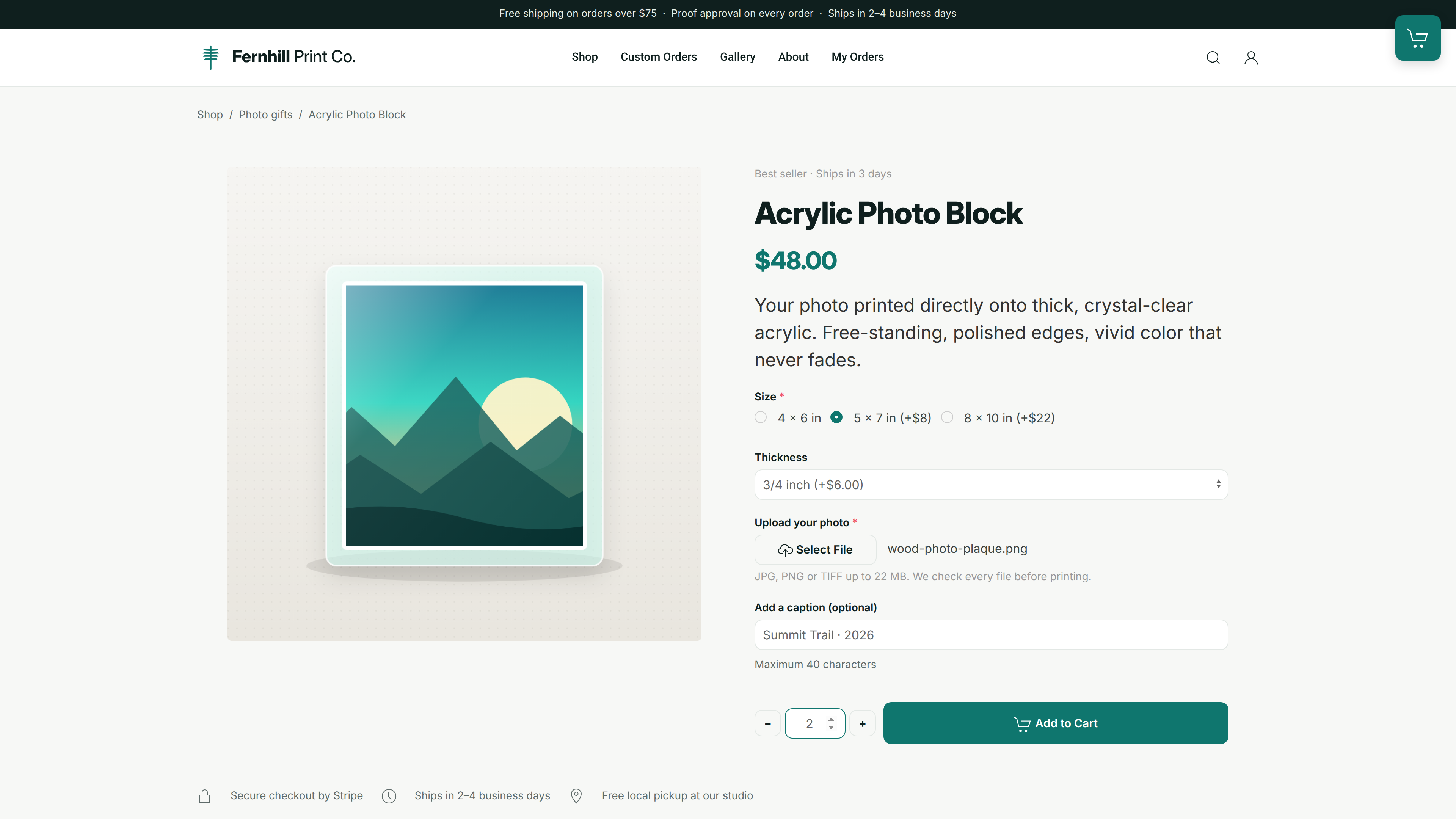
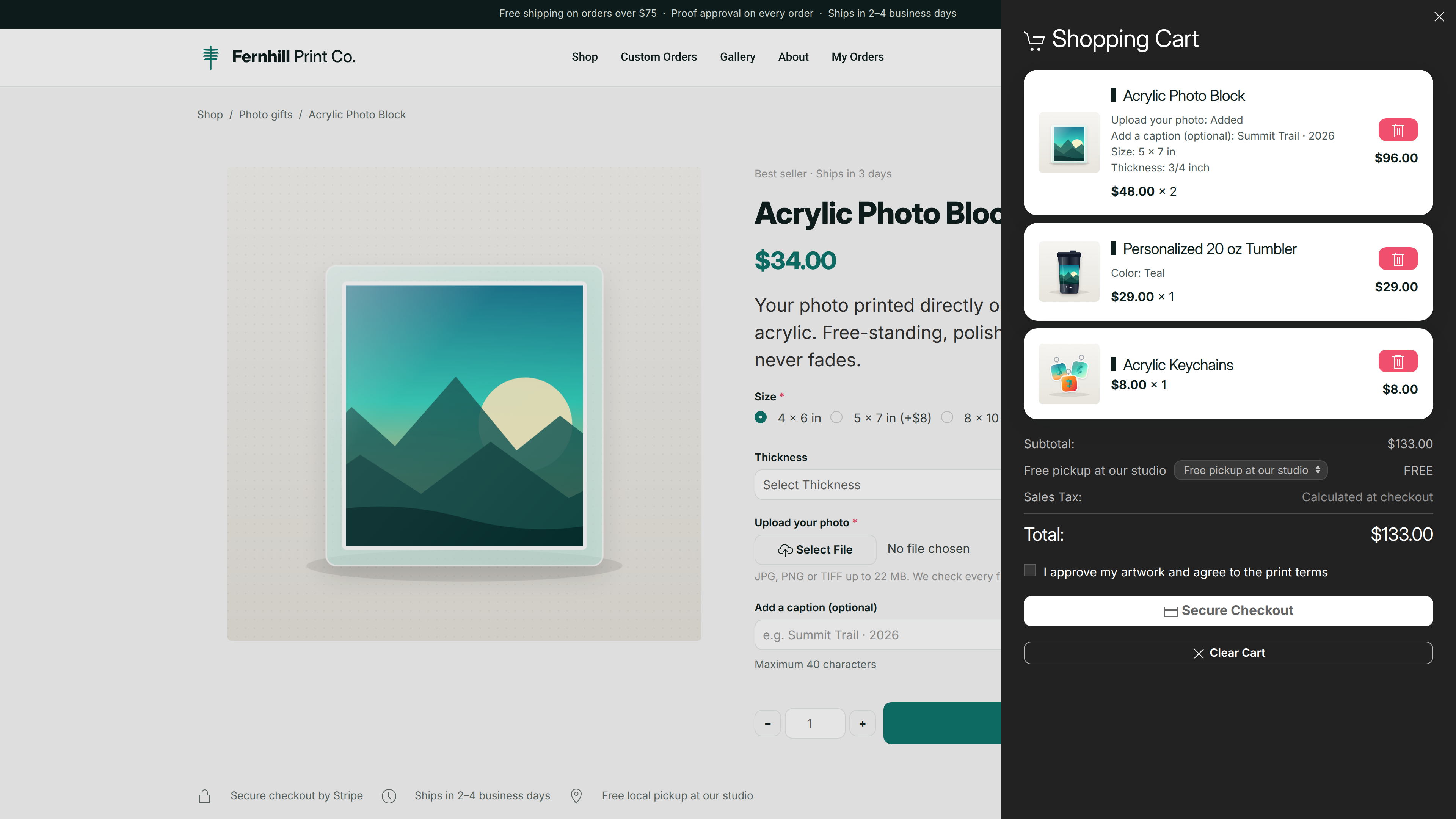
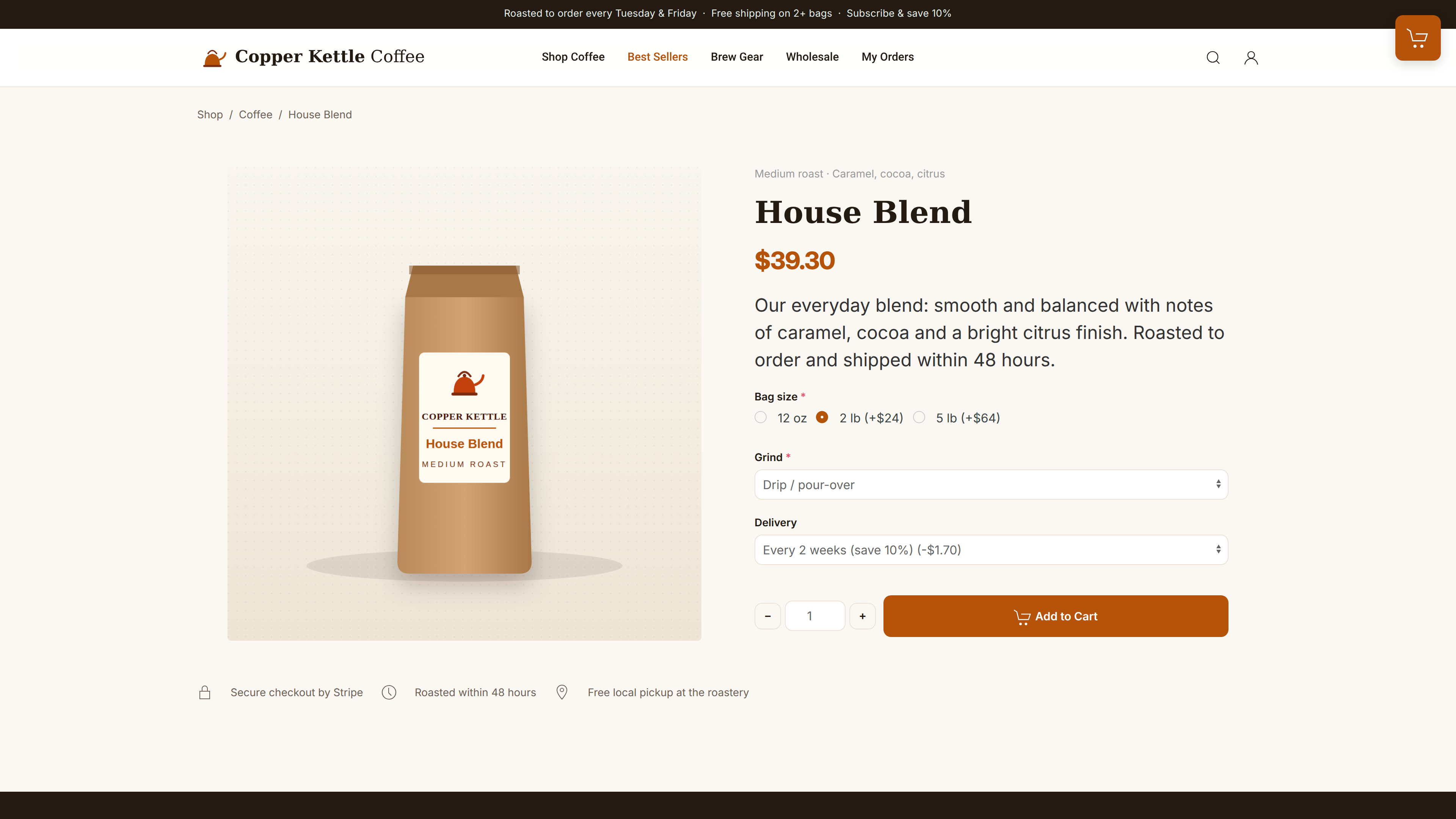
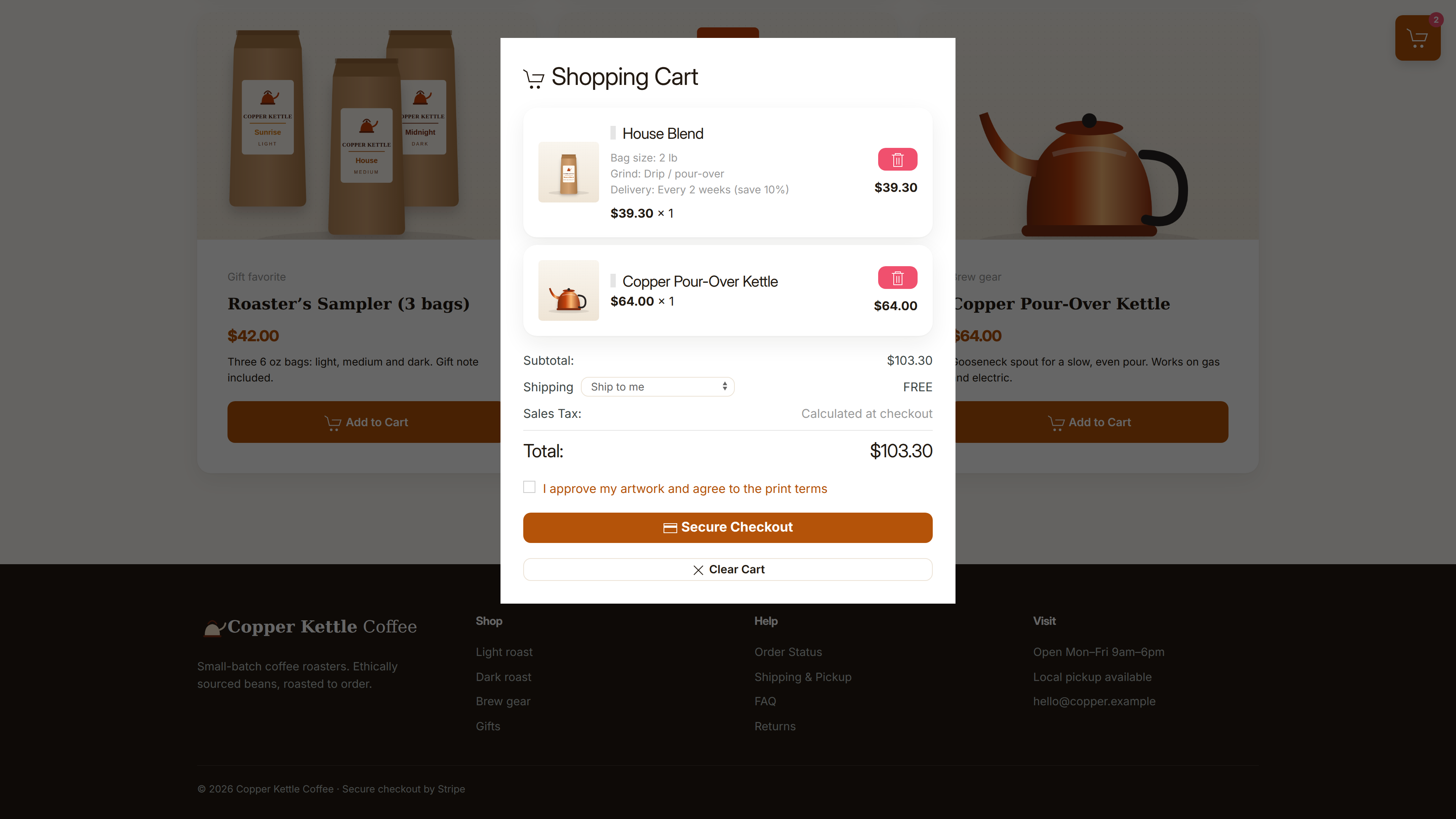
Supported Langauges
 English (USA)
 English (UK)
 Spanish (Spain)
 Spanish (Mexico)
 Japanese
 German
 Chinese (Simplified)
 Italian
 Dutch (Netherlands)
 Russian
 French
 Hindi
Hindi
 Portuguese (Brazil)
 Arabic
 Urdu (Pakistan)
 Bengali